
As individuals engage in various automotive financing options, managing auto payments becomes a critical aspect of ownership. For those utilizing Toyota Financial Services, understanding how to cancel an automatic payment is essential for both personal car buyers and businesses managing fleets. This guide presents detailed steps on canceling your auto payment through mobile banking and in person at bank branches. Additionally, it explores customer support options to ensure that you can effectively navigate this process if additional assistance is needed.
Turning Off the Tap: A Thorough, Bank-Centric Guide to Cancelling Toyota Financial Auto Payments via Mobile Banking
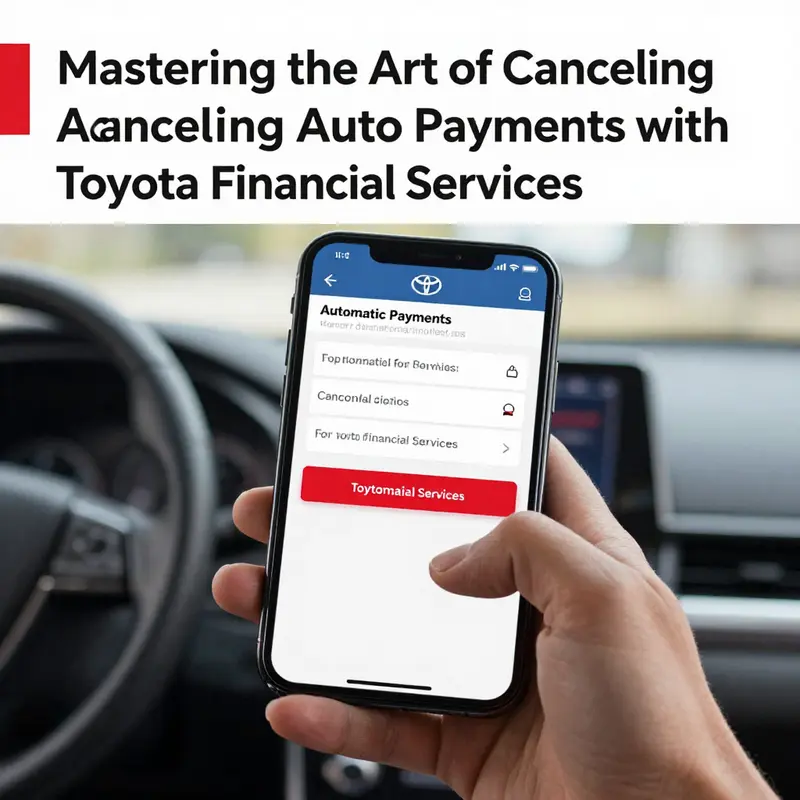
Canceling an automatic payment linked to a car loan or financing agreement is not always as straightforward as turning a dial in one app. For many consumers, the recurring deduction set up with Toyota Financial Services (TFS) rests not with the lender’s own app, but with the bank that processes the payment. This means the path to stopping an auto-pay can feel more like a two-part journey: you adjust the stand-alone instruction in your bank’s mobile app, and you confirm with Toyota that the instruction has been honored on both sides of the ledger. The logic behind this approach is simple enough. A bank creates and manages recurring transactions, including those scheduled to pay a third-party lender. Toyota Financial Services, in turn, receives those funds as they’re deposited. If you want to halt those transfers, the most reliable way is to reach into the bank’s framework that governs automatic payments and disable the instruction there. Then you confirm with the lender to ensure there is no lingering authorization that might trigger another deduction. This two-step discipline—through your bank, then with the lender—reduces the chance of miscommunication and late charges while preserving your control over the debt repayment timetable.
The process begins with a clear intention and a calm plan. You will need access to the mobile banking app associated with the account set up for your Toyota loan. This is typically the same app you use for other everyday banking tasks, from checking balances to transferring funds. When you sit down to cancel, treat it like any other safeguard you put in place for your financial life: you want to stop a recurring action, but you also want to verify that the action has actually stopped. The reason behind this double-check is simple: auto-pay can be convenient, but it can also become an unwelcome expense if you change banks, refinance a loan, or encounter a billing error. The onus is on you to ensure that the bank no longer drafts funds on a schedule you no longer approve.
To begin, log in to the mobile banking app that manages the account linked to your Toyota loan. The exact interface varies by bank, but the underlying structure is remarkably consistent: you will find a set of menus dedicated to payments or to recurring transactions. Look for labels like “Automatic Payments,” “Recurring Payments,” “Bill Pay,” or “Scheduled Payments.” These labels exist so that customers can view, modify, pause, or cancel the ongoing drafts arranged with payees, including automobile lenders. Once you locate the right section, locate the entry for Toyota Financial Services. It may appear as a recurring debit with a date and amount that matches your payment schedule. If you’re unsure which entry corresponds to TFS, review the most recent transaction history to identify the correct merchant name or the account it’s drawn from. The moment you confirm you’ve identified the right auto-pay arrangement, you will see an option to cancel, stop, or disable the recurring payment. This is the critical moment: select that option, then confirm your decision through any required authentication prompts. Banks often require a password re-entry, a PIN, or a one-time code delivered via SMS, email, or a mobile authentication app. The goal is to prove you are the account holder making the change, not someone who has gained unauthorized access.
After you have canceled within the bank app, you should receive a contemporaneous confirmation from the bank itself. You may see a green checkmark, a confirmation screen, or an email acknowledging that the recurring payment has been discontinued. Regardless of how the bank communicates it, the important thing is to keep that confirmation handy until you have independently verified that Toyota Financial Services has also stopped drawing funds. Because the cancellation path is not always identical across banks, you will want to be proactive about verification. The simplest way to do this is to look at the account’s next scheduled transaction after the cancellation. If the system is truly off, you should not see the auto-pay draft appear on the next due date. If you do see a draft attempt, or if you notice a discrepancy in the amount or date, you will need to re-engage with the bank, and possibly with Toyota, to clear up the confusion.
Specific examples help anchor the general process in real-world practice, because every bank’s app uses slightly different menu names and navigation flows. For example, a Chase Mobile Banking user would typically navigate to Payments, then Manage Automatic Payments. A Bank of America customer would proceed Online Banking, then Bill Pay, and then Scheduled Payments. Wells Fargo users might go to Manage Payments, then Automatic Payments. While the terminology shifts, the core steps remain aligned: locate the auto-pay linked to Toyota Financial Services, cancel it, confirm the cancellation, and then watch closely to ensure the change takes effect. If you run into trouble—if you cannot locate the Toyota entry, or if the app presents you with a message that you do not recognize the recipient—don’t press ahead blindly. Call your bank’s customer service line or visit a local branch to ask for a hands-on review. Bank staff can bring up the payment profile on their screens and guide you through the exact series of taps to disable it.
There is an additional layer worth keeping in mind. Even after you cancel the auto-deduction on the bank side, there can be a residual period when a payment is still drawn due to timing overlaps, processing windows, or the way the due date and posting encounter each other in the system. In practice, you should plan for a brief overlap, especially if you’re transitioning to a new payment method or if you recently refinanced or modified your loan terms. During this overlap, you may see a last draft or a pending transaction before the system completely clears the authorization. This is not an indication that the cancellation failed; it is often just the final processing of a previously authorized payment. The cure is simple: keep monitoring the account for a couple of billing cycles, and if a draft still appears after a reasonable waiting period, re-check with the bank and with Toyota Financial Services to confirm the status of the cancellation and to ensure no new auto-pay instruction was issued by mistake.
If you are uncertain about which institution handles your Toyota payment—the bank you originally linked to your loan or some other entity that has since processed a payment on your behalf—start by looking for the most recent payment confirmation from Toyota and then verify the account number associated with the auto-pay. Cross-check the bank account or card that is being debited; if you discover that a different bank or card is involved in the auto-pay, you will need to repeat the cancellation steps in that bank’s app as well. In some cases, customers discover that a second or even a third payment method was authorized for auto-deduction, perhaps from a different card or from a joint account. If you find this, cancel those as well to avoid duplicate payments. The goal is to eliminate all active authorizations tied to Toyota Financial Services so you won’t encounter unexpected deductions later.
Beyond the mechanics of the cancellation in the app, there is a practical, almost administrative side to the task. It is wise to inform yourself about your new payment plan or your preference for making payments in a different way. If you do not wish to rely on auto-pay in the future, you can set reminders for manual payments or establish a different automatic mechanism through your bank or a budget-tracking tool. Some customers prefer to set a calendar reminder several days before the due date and then initiate a one-time payment each month. Others are comfortable with autopay but want the ability to pause it temporarily in case of a cash flow disruption. Either approach requires the same fundamental discipline: clear communication with your lender and vigilance over your own accounts. If you are paying through your bank’s mobile app, you can often pause auto-pay for a specified period, or you can delete the payment entirely and re-create it later when you’re ready to resume. Whatever you choose, document the change and keep a written or digital note of the confirmation codes or reference numbers you receive.
For readers who want a broader context on financial management and how to align payment arrangements with changing life circumstances, there is a growing amount of practical guidance available. The real value, though, comes from translating those general principles into the precise steps your own bank requires. If you want to explore more about managing personal finances and understanding the mechanics of recurring payments, consider visiting the Davis Financial Advisors knowledge base, which offers a range of articles that illuminate how to approach recurring transactions, how to confirm that changes have taken effect, and how to keep your information secure while making these adjustments. You can access this resource here: Davis Financial Advisors knowledge.
Even with the best planning, questions can arise. If you encounter a situation where you cannot identify the Toyota Financial Services auto-pay entry in your bank app, or if you encounter a notice that the transaction has been rejected, the next steps are straightforward. First, contact your bank’s customer service or visit a branch. Bank representatives can pull up the exact payment profile, verify the merchant name as it appears on your account, and help you cancel the payment. If you suspect that the lender’s side is still attempting to collect, or if you want explicit confirmation that there is no lingering authorization, call Toyota Financial Services directly at their support line. The lender can confirm the status of your account, review any existing autodeduction authorization on file, and advise you on the best path to stop future drafts. It is not unusual to have to coordinate the status with both parties to prevent a misrouted payment or a late fee caused by a miscommunication about the cancellation.
Finally, a word about documentation and future-proofing. After you complete the cancellation, save or print a copy of the bank confirmation, and, if available, any email acknowledgement from Toyota confirming that the auto-pay has been stopped. Retain these records for at least a few billing cycles, in case a question arises about a past draft or a reconciliation issue. Good record-keeping can save time and reduce anxiety should there be any dispute or chargeback scenario. If you want to take the extra step of protecting yourself from future auto-pay issues, set up a brief audit routine at the end of each quarter. Review all recurring payments, verify that the terms align with your current financial plan, and adjust as needed. It’s a small habit, but it produces clarity and minimizes the risk of unexpected withdrawals.
In sum, stopping an auto-pay to Toyota Financial Services is a process that emphasizes control through your bank while maintaining a cooperative relationship with the lender. It is a reminder that while third-party processors handle the mechanics of payments, you remain the ultimate steward of your cash flow. The steps—log in to your bank’s mobile app, locate the auto-pay for Toyota Financial Services, cancel, verify with the bank and the lender, and monitor for any residual drafts—form a reliable workflow that keeps your finances orderly and predictable. If you want a quick reference on how different banks structure these steps, remember that the exact menu names will vary, but the aim remains consistent: you disable the recurring authorization, confirm its cessation, and keep your records in good order. And if ever you need broader context or guidance beyond the specifics of a single auto-pay scenario, that knowledge base remains a useful companion as you navigate the broader landscape of personal finance and recurring payments.
How to Cancel Auto Payment on Toyota Financial Services at a Bank Branch
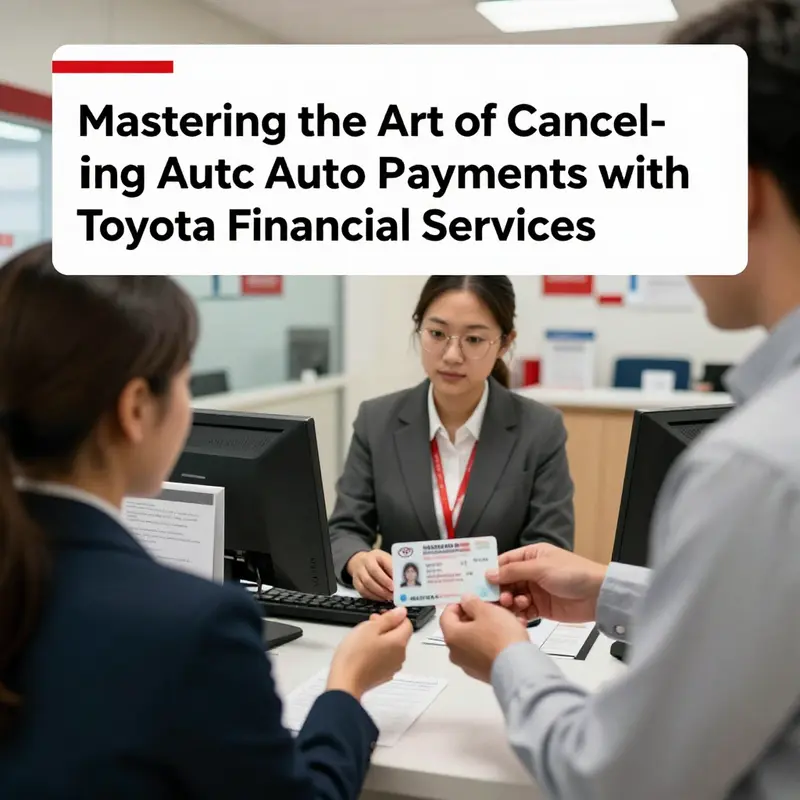
Deciding to cancel an automatic payment for a Toyota Financial Services loan inside a bank branch is a decision that blends practical finance management with a bit of personal oversight. The aim is straightforward: you want more control over when and how your payments are debited, and you prefer having a human point of contact available to answer questions in real time. The process, however, is not a single, universally fixed path. It hinges on the policies of the bank that services your Toyota loan, the exact setup of your auto-payment arrangement, and the way your Toyota Financial Services account is tied to that bank. As you move through the steps, you’ll notice a common thread across institutions: clear identification, precise account details, and explicit confirmation that the automatic arrangement has been disabled. In practice, a bank branch visit can be a reliable, hands-on way to end auto-payments when you want to be sure the change takes effect promptly and you receive a written record of the action. The experience is also a reminder that financial services, while standardized in many ways, still rely heavily on the human touch to verify intent and prevent accidental mistakes.
From the moment you decide to interrupt the auto-pay flow, the core idea is to ensure you do not leave any stone unturned. An auto-payment that remains active after your request can lead to overdrawn accounts, duplicate charges, or misapplied funds at the worst possible moment. Your aim is not simply to stop future debits but to establish a clear, auditable trail that confirms both your bank and Toyota Financial Services are aligned on the change. This alignment matters because the two parties—the bank that processes the debit and the lender that receives it—must both be aware of the new arrangement to prevent payments from slipping through the cracks. The bank branch approach is particularly valuable if you prefer discussing your situation in person or if your account has any unusual features, such as multiple linked payment methods or a history of changes to auto-pay settings.
To begin, it helps to have a practical mindset. First, locate the bank branch where your Toyota loan is administratively managed, or at least a branch of the same financial institution that handles your auto-pay setup. Not every branch will be equipped to cancel an auto-payment for Toyota Financial Services on the spot. Some branches may require you to initiate the change through a specialized department or to contact Toyota Financial Services directly. This is not a sign of dodgy procedures; it reflects how banks structure authority over recurring payments to ensure accuracy and compliance. The clerk you speak with may confirm the branch’s capabilities and, if necessary, guide you to the right channel or offer to help you complete initial forms before routing the request to the appropriate department. Throughout the encounter, the emphasis is on clarity and documentation: you want your request captured with the correct account identifiers and an explicit statement of intent.
Begin the visit by presenting yourself with a calm, straightforward explanation: you would like to cancel automatic payments for your Toyota loan, and you want to ensure that the changes take effect on the next scheduled debit date. You will be asked to verify your identity and to provide the exact details of how the auto-pay was configured. The bank representative will then walk you through the required steps, which are often a mix of form completion, verification, and confirmation. If you arrive with everything in hand, you may complete the essentials in a single visit; if not, you may leave with a list of items to gather or alternative steps to take, including a follow-up call with Toyota Financial Services or the bank’s online portal.
What you bring to the bank matters as much as how you phrase your request. Prepare a small, orderly packet that reduces back-and-forth and speeds the process along. The core documents and information you should have on hand include your valid government-issued photo ID—such as a driver’s license or passport—so the bank can confirm your identity beyond a casual greeting. You should also bring your Toyota Financial Services account number, which is the key link between the lender and the bank’s payment system. If your goal is to switch the payment method—say, you want to stop auto-pay from the current linked bank account and instead make manual payments or use a different bank account—you’ll want to have the new bank account details ready as well. Any documentation related to the auto-payment agreement, such as emails, letters, or a copy of the authorization form you signed previously, can be useful as a reference. These documents help avoid misinterpretation and provide a clear record of what was authorized and what needs to be changed.
As the conversation unfolds, the bank representative will likely walk you through a formal cancellation process. You may be handed a cancellation form that asks for your account number, the date you want the auto-payment to end, and the reason for the cancellation. It is essential to fill out these details accurately and completely. A common source of later confusion is the effective date of the cancellation. Depending on the bank’s processing timelines, you might see the cancellation take effect immediately, by the next payment cycle, or after a short grace period. The representative will explain the expected timing and may offer to place a temporary hold or a validation step to ensure there are no pending transactions that could be debited before the change takes effect.
A critical moment in the process is the formal confirmation. After submitting the cancellation, request written confirmation that documents the change, including the effective date, the status of the auto-payment arrangement, and any residual steps you must take. This written confirmation serves as a verifiable record should questions arise later or if a future payment attempt slips through the cracks. It can also be helpful to confirm whether any automatic re-enrollment features exist within your bank’s system. Some institutions offer automated reminders or reactivation prompts if a customer later requests a different form of payment arrangement, so understanding the bank’s policies reduces the chance of surprise charges.
The balance between the bank’s procedures and Toyota Financial Services’ systems is a practical reminder of why you should verify the cancellation with both sides. Even after your bank indicates that the auto-payment has been stopped, it is prudent to monitor subsequent statements and the loan account online to ensure there are no lingering debits. The risk of a payment slipping through the cracks is not zero, and the best safety net is proactive checking. If anything looks amiss, do not wait for the next cycle to begin. Contact the bank immediately and reach out to Toyota Financial Services’ customer support to confirm the change and to set expectations for future payments. In some cases, the bank may require a separate confirmation from the lender to finalize the stop; in others, the bank’s action alone suffices, but you still want to be certain that Toyota Financial Services has the updated payment instructions on file.
The practicalities of this process will vary somewhat depending on the bank and the exact setup of your auto-payment arrangement. Some banks enable in-person cancellation at a teller counter, while others may route you to a dedicated payments specialist or to a branch with a specific window for loan payments. If you encounter a branch that cannot directly cancel auto payments for Toyota Financial Services, do not view this as a dead end. The staff can typically provide clear directions on alternative routes. This could include a direct call to Toyota Financial Services’ customer support line, which many lenders maintain for cases where the bank cannot modify the payment arrangement on-site, or a recommendation to complete the cancellation via the lender’s online portal. The overarching principle remains simple: you want a definitive, documented stop to automatic debits, and you want to ensure both sides acknowledge the change.
In fact, thinking ahead about potential contingencies can save time and minimize friction during the visit. If you know you might need to switch payment methods, consider bringing extra documentation that shows the new banking details, just in case a switch is requested. If you expect to pay manually after the cancellation, ask about any implications for due dates or late fees and whether you should continue to monitor the loan balance more frequently than before. Some borrowers worry about missed payments during the transition. A constructive way to handle this concern is to set a temporary reminder on your phone or calendar for the days around the next expected debit, allowing you to make a manual payment before the scheduled date if needed. This small precaution can prevent late charges while the system updates.
As you navigate the conversation, keep the tone practical and respectful. Bank staff handle many changes daily, and they are often most effective when they see a clearly explained request with supporting details. If you can, rehearse a concise statement of your goal: that you want to cancel automatic payments for your Toyota loan through this bank branch, confirm the change in writing, and verify the effective date. It can be helpful to reference the account number and the exact date you want the changes to take effect. After the transaction, you may walk away with a sense of relief, knowing you have control and documentation. You will also be reminded of the importance of following up with Toyota Financial Services to ensure the change is reflected in their records and that automated deadlines align with your preferred payment schedule.
To deepen your confidence, consider using supporting resources that consolidate practical steps for managing auto-pay arrangements. For example, a knowledge center that compiles clarifications on recurring payments, how to review payment settings, and how to contact lenders can be a valuable companion to your bank visit. Such resources provide a framework for understanding the broader landscape of auto-pay management and can help you prepare for future changes. You might find it useful to review related guidance at a trusted financial education hub, a resource designed to help consumers navigate common payment setups, track debits, and handle changes with lenders and banks. If you want to explore that kind of context, you can visit the Davis Financial Advisors Knowledge page to access general guidance on payment management and related topics. This internal reference can give you a broader sense of how to approach similar changes across different lenders and institutions. For easy access, see the linked knowledge resource here: Davis Financial Advisors Knowledge.
Once you have completed the process at the bank, and after you have received written confirmation, your next steps should be practical and disciplined. Review your bank statements for the next two or three cycles to verify that no further auto-debits occur from the canceled arrangement. If you notice a residual attempt to charge your account, contact both the bank and Toyota Financial Services immediately to rectify the discrepancy. The experience will also reinforce a personal habit—periodically reviewing recurring payments—that serves you well in all areas of finances, not just auto loans. This vigilance helps you understand when a payment setup might be reactivated inadvertently by default settings, by changes in your account, or by requests initiated by another party with access to your banking relationships.
In the end, cancelling an auto-payment arrangement through a bank branch can be a thoughtful, controlled approach that yields tangible benefits: greater command over cash flow, reduced risk of surprise debits, and a documented path that both the bank and the lender acknowledge. If you ever return to this process, you’ll likely move with more ease, knowing what to expect and how to verify the outcome. It’s a reminder that even routine financial mechanics—like the cadence of a monthly loan payment—benefit from a deliberate, informed approach. The journey from intent to cancellation to confirmation can feel meticulous, but it is precisely this attention to detail that helps prevent future headaches and keeps your financial plan aligned with your goals. For readers who want to explore related financial management topics further, the knowledge resource linked above offers a gateway into broader concepts about how recurring payments fit into a complete personal finance strategy. And if you need direct, authoritative guidance from the lender, you can consult the official contact options provided by Toyota Financial Services. The external link to their contact page is a reliable destination for up-to-date instructions and direct support when you encounter any unusual hurdles during cancellation or in the days that follow.
External resource: Toyota Financial Services – Contact Us
Canceling Auto Payments with Toyota Financial Services: A Comprehensive, Flow-Driven Path to Regaining Payment Control
Canceling an auto payment tied to Toyota Financial Services is often a straightforward process, but the steps can vary depending on how the payment was originally set up. The core aim is simple: stop future charges while ensuring that any already scheduled or pending transactions are handled cleanly. A careful approach reduces the risk of missed payments or accidental double charges. The practical path combines attention to detail with a clear sense of where the control lies—whether you initiated the arrangement through your bank, through Toyota Financial Services’ own platform, or via a hybrid setup. As you navigate, you will find that the sequence matters almost as much as the act itself. The best way to think about it is as a sequence of checks and confirmations that safeguards your cash flow and your credit history, while avoiding surprises that could interrupt essential services or strain your budgeting process.
The decision to cancel a recurring payment is often driven by a shift in budgeting, a change in banking arrangements, or a reassessment of how you manage debt obligations. When you move to cancel, it’s important to recognize that this change does not erase the underlying loan or finance agreement. It simply stops the automatic transfer of funds on future due dates. This distinction matters because you may still owe payments according to the original schedule, and you must stay on top of those obligations to avoid late fees, interest accrual, or adverse effects on your credit. The cancellation is a safeguard for your cash flow, not a termination of a contract, and understanding that boundary helps you plan the next steps with clarity.
One crucial truth emerges early: the cancellation process can involve more than one party. If you arranged auto payments through your bank or credit union, you might need to end the bank’s recurring payment instruction as well as notifying Toyota Financial Services. In practice, this means you should confirm that both sides have registered the change. Banks can be diligent about stopping a payment once you request it, but there can be a lag between your instruction and the final stop in their system. Similarly, even if you cancel on Toyota’s side, there could be a back-end rule that requires a separate confirmation step. The double-check is not redundancy; it is a measure that protects your finances from accidental charges after you believe the arrangement has ended. A calm, stepwise approach reduces friction and helps you document the process for future reference.
If you prefer the digital route, the official platform and app for Toyota Financial Services present a clean, centralized way to manage recurring services. The login experience on the official website or app is designed to make it possible for customers to see exactly which services are active and which ones are scheduled for cancellation. This pathway has the advantage of immediacy and auditable records. You can initiate cancellation, see a record of the cancellation action, and download or screenshot confirmation for your files. The steps are built around the concept of service management—an area of the account where you can review, adjust, or discontinue services associated with your loan or financing plan.
When you choose to use your bank’s mobile app or online banking platform, you are leveraging a different channel—one that sits between you and Toyota Financial Services and your lender’s payments system. In many cases, auto-pay is a bank-to-merchant arrangement. You sign in to your bank’s app, locate the section that handles Automatic Payments or Recurring Payments, and then select the Toyota Financial Services entry to cancel. The interface will typically present you with a list of recurring payments you’ve set up, including payee name, payment amount, and payment date. From there, a cancellation or stop instruction clears the future transfers. It’s worth noting that the precise labels in the app can vary by bank, but the logical path is consistent: locate, select, cancel, and confirm. A final confirmation email or notification often appears, but you should also check your bank statement in the days following the cancellation to verify that no new charges occur.
The in-branch option remains a reliable and sometimes preferred choice, especially for those who favor a tangible, human-facing confirmation. If you decide to visit a bank branch to cancel a Toyota Financial Services auto-payment arrangement, bring your valid government-issued ID and the card tied to the account that issued the auto-pay instruction. Explain that you want to cancel the automatic payment arrangement for Toyota Financial Services, and request a cancellation record or a written note confirming the stop. Branch staff can provide a stamped receipt or an emailed confirmation, which can be crucial for your records. The benefit of this approach is that you have a direct paper trail and you can address any questions on the spot, ensuring that both the bank’s system and Toyota’s records reflect the annulment of the auto-payment instruction.
If you prefer a hybrid approach—utilizing Toyota’s own platform paired with online support—the official site or app offers a path that is highly integrated with your account history. Once logged in, you navigate to the service management area or account settings, where you’ll find a catalog of subscriptions or recurring services linked to your financing. The cancellation action is typically labeled something like “Cancel Subscription” or “Stop Service.” After selecting the service to cancel, you’ll be asked to confirm the cancellation. It’s common to encounter a summary of cancellation terms here; take the time to read these terms carefully, then confirm your decision. A successful cancellation on the Toyota platform usually triggers a confirmation notification, which can be saved for your records. This route also makes it easier to coordinate with other channels—if you need to contact support for any related questions, the platform often provides direct channels such as live chat or secure messaging.
As with many financial processes, support remains available if you find yourself unsure of a step or worried that a cancellation did not take effect. Toyota Financial Services provides several practical contact options. Online chat support is available through their official channels, and in many cases, a prompt response can clarify whether the cancellation has been registered. For real-time assistance, you can use the WeChat Official Account for Toyota Financial Services, which is a versatile channel for immediate help and quick confirmations. Phone support is available during business hours, typically Monday through Friday, and the precise hours can vary by region or service segment. If you call, you’ll likely reach a representative who can verify that your cancellation is in process or completed and can also review your account for any pending transactions that might still be scheduled.
With so many potential routes—bank app, bank branch, Toyota’s official platform, and live support—one question often arises: what exactly does cancellation accomplish? The important note is that the repayment date itself cannot be altered by cancellation. If you have concerns about payments, it is prudent to call or chat with a sales advisor or a financial consultant who can walk you through your balance, the schedule of future payments, and any impacts on interest or penalties. In practice, cancellation stops new auto-pay transactions, but it does not erase the loan balance or change the due date itself. You still owe the contracted amount according to the original repayment schedule, and you should ensure you keep on track with those payments to avoid late fees or credit implications. This distinction matters for budgeting and for preventing gaps that could complicate your financial record.
From there, the question becomes one of verification and timing. After you initiate cancellation, you should expect at least two checkpoints. The first is the confirmation from the channel you used—an on-screen confirmation, an email, or a written note. The second is a verification step across both sides of the equation: the bank and Toyota Financial Services. It is not unusual for a bank to process a cancellation within a business day or two, while Toyota’s system may require a separate confirmation that the instruction has been received and acted upon. In some cases, there can be a short overlap where a payment was scheduled just before the cancellation request took effect. During that period, you may see a single charge or two, depending on processing cycles. If you notice any unexpected charges after you believe the cancellation is in place, contact customer support promptly and request a review of the most recent transactions. Documenting the dates and amounts of any such charges can streamline the resolution process.
The practical value of this process is that it puts you back in charge of when and how money leaves your account. When the auto-payment is cleared, you gain the agility to schedule payments manually, adjust the timing to fit cash flow, or switch to another payment method that offers you greater visibility and control. This control is especially valuable if you are juggling multiple financial obligations or are shifting to a new banking partner. Yet control also requires discipline. Without a routine for monitoring statements and due dates, the risk of missed payments still exists. The cancellation, therefore, should be paired with a renewed attention to your monthly budget and a proactive plan to handle the next several due dates without automatic withdrawals. That is the practical balance of autonomy and accountability that most successful borrowers cultivate when they renegotiate how they fund their loans.
To support a smooth, well-documented transition, consider establishing a simple record-keeping habit. Save screenshots or confirmation emails from each cancellation communication. When you log into your bank app, you can compare the last few days of statements with the expected schedule to confirm that no unexpected debits occur. If you find a discrepancy, act quickly—contact both the bank and Toyota Financial Services to correct the record. In complex cases where multiple auto-pay arrangements exist—for example, a separate auto-pay for insurance or other services linked to the same loan—it can be useful to create a compact ledger that tracks which payment streams are active and which ones have been canceled. This ledger can be as simple as a one-page note with dates, amounts, and channels used, or as formal as a spreadsheet that captures the exact timestamps of each action and the resulting status in the respective systems. The key is to maintain a clear trail that you can refer back to if a dispute arises or if you need to demonstrate due diligence to a lender or credit bureau.
For readers who want a quick, reliable consolidation of guidance, a centralized knowledge base can be invaluable. It can offer practical articles, checklists, and scenarios that mirror common experiences with auto-pay cancellations. In that spirit, the Knowledge hub provides a curated set of resources that can deepen your understanding of recurring payments and how they interact with loan servicing. You can visit it for additional context and steps that align with your own banking setup, and you can approach the hub as a resource for broader financial management strategies that extend beyond a single contract. Such a resource becomes especially helpful when you are coordinating between multiple institutions or when you are planning a broader shift in how you handle automated money movements. For readers seeking a direct link, the Knowledge hub is a concise, credible place to anchor your next actions. Knowledge hub.
In addition to procedural clarity, you may also want to consider the implications of cancellation on future budgeting. Many borrowers find that removing automatic withdrawals leads to greater mindfulness about payment timing and sufficiency of funds. It can be a catalyst for creating a more deliberate cash flow plan, setting reminders a few days before each due date, and aligning payment dates with days you typically have income available. If your income schedule is irregular, manual payments become an opportunity to choose a payment date that minimizes the risk of overdrafts or incidental fees. On the other hand, some people appreciate the convenience of automation and prefer to preserve it—perhaps by switching to a different auto-pay recipient or by negotiating a more favorable payment terms that fit your updated budget. Either way, the cancellation itself is the foundation of a more intentional approach to how you manage large financial commitments.
As you reflect on the path you take to cancel auto payments with Toyota Financial Services, keep in mind that the specific experience can differ by bank, by the exact auto-pay arrangement, and by regional operations. The core principles stay constant: identify the channel, execute the cancellation, and verify that the instruction has been successfully registered on both sides. If you encounter any ambiguity, lean on customer support and keep your records organized. With patience and careful coordination, you can reclaim control over your payments without disrupting your overall financial plan. For many borrowers, this is not merely about stopping a service; it is about creating a sustainable approach to managing debt, cash flow, and financial resilience for the months ahead.
External resource: https://www.toyota-finance.com.cn/
Final thoughts
Understanding the steps to cancel auto payments with Toyota Financial Services is essential for both individual car buyers and businesses. Whether opting for the convenience of mobile banking or the personal touch of in-branch assistance, the process is manageable and straightforward. Leveraging the available customer support channels ensures that any complications can be addressed quickly, giving peace of mind to every user aiming to maintain control of their financial commitments.