
Setting up auto pay with Toyota Financial Services is essential for car buyers looking to simplify their monthly payments. This article will guide individual car buyers, auto dealerships, franchises, and small business fleet buyers through the detailed process of establishing auto pay. With clear steps, insights into the management tools available through TFS, and an understanding of the verification process, readers will gain the knowledge needed to ensure timely payments and avoid late fees. Moreover, by the end of this article, you will appreciate the numerous benefits that accompany the convenience of auto pay, making it easier to stay on top of your financial commitments.
Steady on the Road: Mastering Auto Pay with Toyota Financial Services for On-Time Vehicle Payments
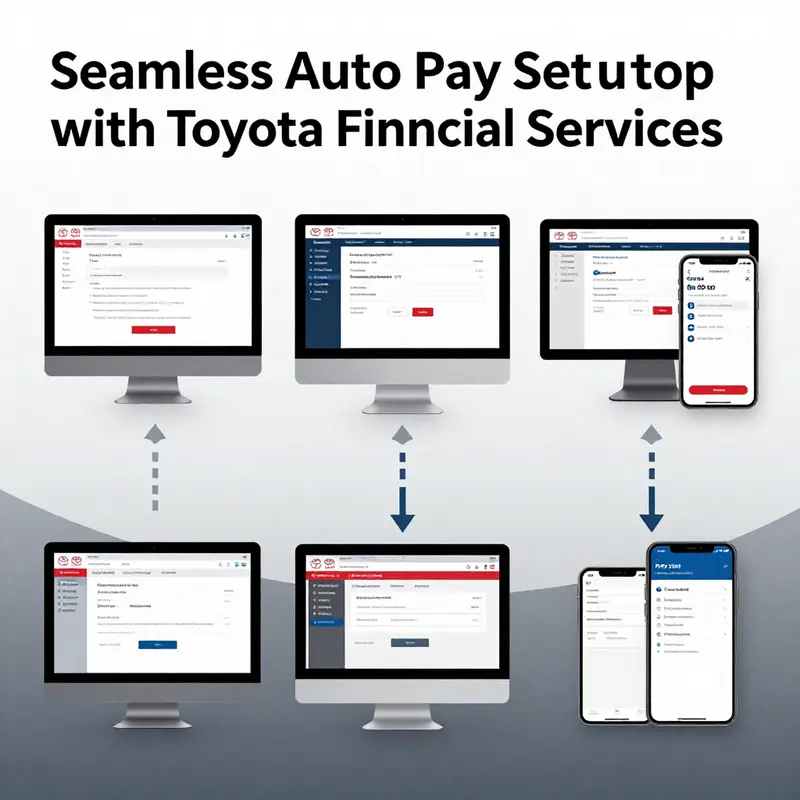
Steady on the road means more than keeping speed. It means sustaining a dependable rhythm for every monthly obligation that rides along with owning a vehicle. When the balance on a loan, lease, or line of credit under Toyota Financial Services is handled with automatic payments, you gain predictability, reduce the chance of late fees, and free mental space for other priorities. This chapter walks you through a detailed, practical path to setting up auto pay with Toyota Financial Services in a way that feels less like a checklist and more like a steady, confident habit. What follows is a narrative that blends clear steps with a broader view of why automation matters, how verification protects you, and how to keep the process smooth across the life of your agreement.
To begin, the simplest path is to access your account through the official channels: the Toyota Financial Services platform and its companion mobile app. You can log in using the credentials you already rely on for viewing your balance, making a one-time payment, or reviewing your payment history. The design of the site and the app is meant to support a seamless transition from paying manually to paying automatically, but it still rewards a careful approach. Once you are logged in, you navigate toward the payments landscape. Look for a section labeled something like My Account or Payments. It is here that the system typically offers options such as Set Up Auto Pay, Manage Payments, or Automatic Payments. The wording may vary slightly depending on device and app version, but the core idea remains the same: you are configuring a recurring transfer that aligns with your due date.
As you step into the auto pay configuration, you will be asked to link a bank account. This step is where the practical details matter most. You will enter your bank’s routing number and your account number, and you will typically be asked to choose the type of account. A common rule is that eligible accounts are checking accounts; savings accounts are frequently not accepted for auto pay. The importance here is accuracy. A single digit error can derail an automated schedule, leading to unnecessary delays while the system tries to reprocess or verify an alternative account. Double-check the numbers against your checks or online banking profile, and if something doesn’t look right, pause and verify before saving the information.
After you have linked the bank information, Toyota Financial Services commonly uses a verification process to confirm you truly control the account. This verification is designed to prevent unauthorized use and to ensure that you can support the monthly debit. The typical procedure involves micro-deposits—two small amounts deposited into the linked account. You should see these micro-deposits within one to two business days and then log back into your TFS account to enter the exact values. The verification step is brief but essential; it confirms your ownership of the bank account and locks in your auto pay settings. Once you confirm the micro-deposits, you are closer to the final milestone: activating the auto pay.
With verification complete, you arrive at the stage where you review the auto pay details in full. Take a moment to examine the amount that will be paid automatically and the due date it will be scheduled around. It is not just a matter of setting and forgetting; you need to confirm that the payment amount matches what you owe for that cycle, and that the bank account selected is indeed the one you intend to use for all future payments. In some cases, you may have the option to designate a portion of the payment, such as the minimum due or another amount that fits your cash flow. If your consent includes any flexibility, weigh the options against your budget and cash availability. Clear confirmation at this stage prevents confusion later and protects you from paying more or less than intended.
Once you submit the request to activate auto pay, the system typically takes effect at the next scheduled payment cycle after successful setup. This means there is a brief window between activation and the first auto-debit, and it is wise to monitor the first cycle closely. You should receive a confirmation notification or email from Toyota Financial Services indicating that auto pay has been activated. If you use the app, push notifications and in-app messages are common channels that keep you informed about successful activation, upcoming payments, and any changes to your schedule.
Beyond the mechanics of setup, the practical benefits of auto pay become evident over time. Foremost is the protection against late fees and missed payments—a real concern for any borrower who experiences a busy month or simple forgetfulness. Auto pay creates a predictable cadence, and when paired with well-timed reminders from the service, you gain both consistency and foresight. You may also find value in the structured reminders that accompany automation. Email and SMS alerts can be configured to notify you a few days before a payment is debited, providing a heads-up that your funds are being drafted. This combination of automation and awareness helps you stay aligned with your financial plan without sacrificing control.
The ease of access is another key advantage. Through both the mobile app and the official website, you can review your payment history, examine upcoming debits, and adjust the auto pay configuration if your circumstances shift. A flexible auto pay arrangement that can adapt to changes—such as a new credit balance, a different paycheck cadence, or a temporary hold on funds—reduces friction and keeps you in the driver’s seat. The process is not merely about pushing a button; it is about building a reliable framework that supports ongoing stewardship of your vehicle financial obligations. That is why you may want to periodically re-check the linked bank account and the scheduling preferences, especially after significant life events or changes in your income pattern.
In this ongoing journey, you may also want to consider how auto pay connects with broader financial management practices. For example, you can align auto pay with your overall debt management strategy, ensuring that your automotive payments do not compete with other essential obligations such as housing, utilities, or savings goals. The discipline of recurring payments can complement a budgeting routine, and the visibility provided by the account portal makes it easier to reconcile your records and your bank statements. If you are balancing multiple vehicles or multiple financing arrangements, the clarity provided by a single, centralized auto pay setup can help you avoid overlapping due dates or duplicative charges. To keep this alignment in perspective, consider integrating the auto pay approach with a broader plan for vehicle ownership that emphasizes responsible financing and timely stewardship.
As you build your broader vehicle-finance framework, you may find it helpful to reference related financial planning resources. For example, the discussion around managing vehicle ownership finances explores how to plan for ongoing costs, insurance, maintenance, and debt repayment in a coherent way. You can explore that broader context through the linked resource, which is designed to provide a holistic view of how auto finance fits into long-term planning. This cross-reference can make the transition between manual payments and auto pay even smoother, because you are thinking about the whole financing lifecycle rather than a single payment event. In the same spirit, you can rely on the official support channels when you have questions about setup, verification, or troubleshooting. The customer service line—a dedicated interface for these matters—offers guidance to ensure your auto pay setup is functioning as intended and that your payments arrive on time each month.
To optimize your experience, keep a few practical tips in mind. First, use the official Toyota Financial Services app or the official website for setup rather than third-party tools. The platform is designed to accommodate the security and authentication standards required for financial transactions, which helps reduce the risk of unauthorized charges. Second, maintain up-to-date contact information and payment preferences within your account. If your due date changes due to a new billing cycle or a revised payment plan, make sure auto pay reflects those updates promptly. Third, review your notification settings so you receive timely alerts about upcoming debits and any changes to the payment schedule. Fourth, if you ever need to pause, modify, or cancel auto pay, use the same secure channels and follow the prompts in the account interface. This keeps your activity auditable and ensures you do not lose track of ongoing arrangements.
If you encounter issues during setup or after activation, there are dependable avenues for support. The quickest path is often through the official app or website, where you can check the status of the auto pay arrangement and verify that the linked bank account is functioning normally. If you notice a problem with the micro-deposits during verification, or if the auto pay did not initiate on the next scheduled cycle as expected, contact Toyota Financial Services customer support at 1-800-877-7891. The representative can help you troubleshoot verification steps, confirm the activation status, and set up a manual payment if needed while the auto pay issue is resolved. In many cases, a brief review of your banking details and a retry of the verification process resolves the problem quickly, minimizing interruption to your payment flow.
As you weave auto pay into your overall financial management approach, you also gain a convenient reference point for future decisions. The chapter on Managing Truck Ownership Finances, for instance, offers a broader lens on how recurring payments integrate with vehicle-related costs, loan terms, and budget planning. The cross-pertilization between these topics can help you maintain a clear, realistic plan for the vehicle that supports your financial health over time. For readers seeking external resources to support this approach, the official service site remains the most authoritative source of guidance and the most reliable route to up-to-date instructions about auto pay setup and feature changes. External resource: https://www.toyotafinancial.com/ .
In summary, setting up auto pay with Toyota Financial Services is a practical act of financial self-discipline that reduces stress while improving reliability. It is a straightforward process when you follow the core steps: log in to the official platform, navigate to the payments area, link a valid checking account, complete verification via micro-deposits, confirm the payment details, submit to activate, and monitor confirmations and reminders. The payoff is not simply a monthly debit but a steady rhythm that respects your time and credit, while giving you one less thing to worry about. By integrating auto pay into a broader financial plan and leveraging the available support channels, you create a sustainable system that supports responsible vehicle ownership. And as you consider adjacent financial topics, you can turn to related resources for a more comprehensive view, including the deeper discussion around managing vehicle ownership finances linked above. As you move forward, keep in mind the principle of simplicity: automating what you can, staying informed about what you automate, and reviewing the results regularly to ensure your payments align with your evolving financial picture.
From Login to Auto Pay: A Clear Path to Vehicle Financing Payments
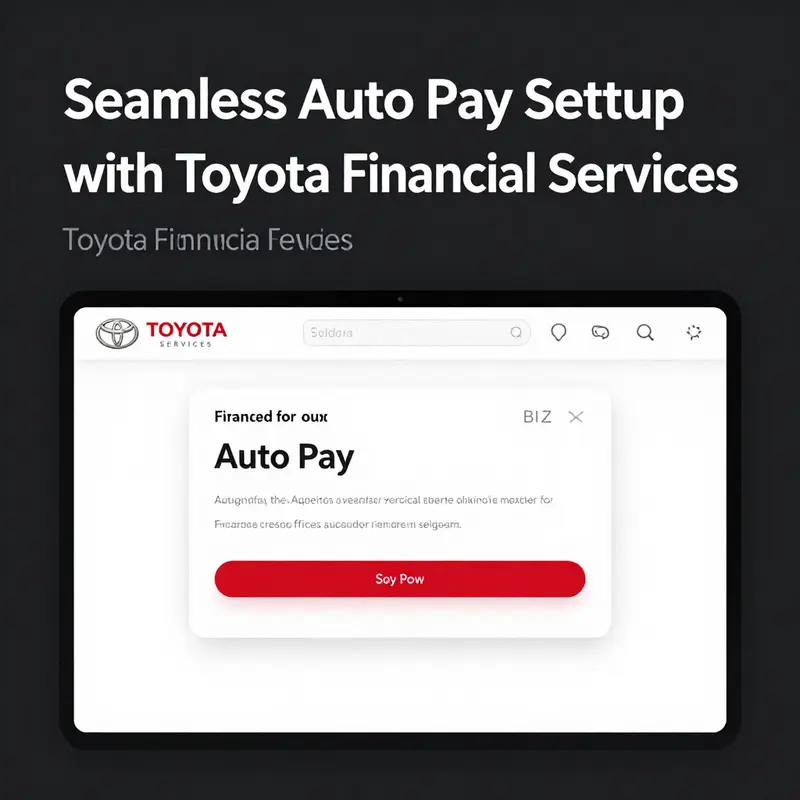
Setting up auto pay for a vehicle loan or lease through the lender’s portal or mobile app is a practical, time-saving step. Start by accessing the official site or app, then sign in or create an account. Navigate to a section labeled Payments or Automatic Payments, and choose to link a bank account. You’ll typically enter routing and account numbers; the platform may verify the linkage with micro-deposits that appear in your bank statement. This verification usually takes one to two business days. Once linked, select your payment amount and date, usually the full due amount on the due date. Review the terms, confirm, and activate auto pay. After activation you’ll receive a confirmation, and you can still review or adjust settings as needed. Best practices include keeping sufficient funds in the linked account, monitoring the first few payments, and noting how to pause or edit a schedule if your cash flow changes. With auto pay in place you reduce the risk of late payments and simplify monthly budgeting, while maintaining visibility into payment history and upcoming withdrawals.
Securing Your Toyota Auto Pay: A Deep Dive into Micro-Deposit Verification
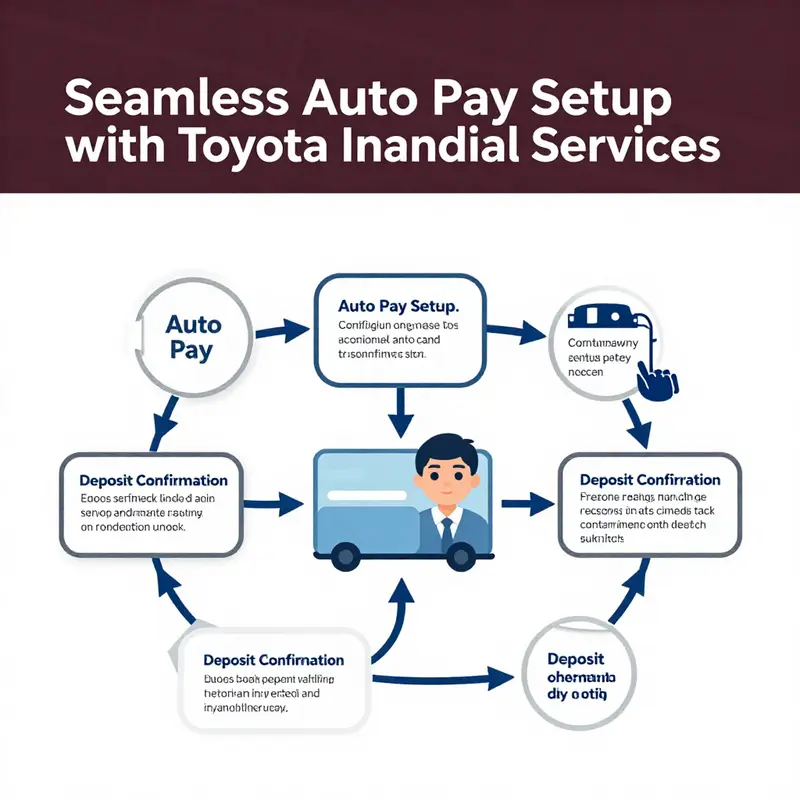
When setting up Auto Pay for your Toyota Financial Services account, the verification process serves as a critical safeguard. This step verifies that the bank account you’ve provided truly belongs to you and that payments will be drawn from the correct source. While the overall setup can be completed in a matter of minutes, the micro-deposit verification method used by Toyota Financial Services adds an extra layer of security and accuracy. Understanding how this process works not only ensures a smooth activation of Auto Pay but also empowers you to manage your payment settings with confidence.
At the heart of this verification is a small but powerful mechanism: micro-deposits. Rather than instantly debiting a full payment, Toyota Financial Services makes two tiny deposits—typically between $0.01 and $0.99—into the checking account you provided. These deposits arrive in your transaction history within one to two business days. Once they appear, you log back into your TFS account and confirm the exact amounts. Matching these figures confirms that you have access to the bank account, closing the loop on security and accuracy.
The underlying logic is simple yet effective. By requiring you to identify the micro-deposits, Toyota Financial Services ensures that no one else can hijack your payment settings. Even if someone obtained your login credentials, they could not verify Auto Pay on an account they cannot access. This measure prevents unauthorized debits and gives you peace of mind that your car loan or lease payments will be drawn correctly each month.
What to Expect During Micro-Deposit Verification
When you initiate Auto Pay, you’ll follow the usual steps: log in to your TFS account via the website or mobile app, navigate to the payments section, and choose the option to set up automatic payments. You’ll be prompted to enter your bank’s routing number and your checking account number. Once you submit that information, familiarization with micro-deposits begins.
Within one to two business days, watch for two small deposits in your linked account. The amounts will vary randomly, making them unique to your verification session. They often show up as generic line items such as “TFS MICRO-DEPOSIT” and are carefully chosen to be inconspicuous yet identifiable. Check both your bank’s mobile app or online portal and any paper statements if you still receive them. If you don’t see the deposits after two business days, you can log back into your Toyota Financial Services account and request that the micro-deposits be resent.
Once the funds appear, return to the “Manage Payments” or “Auto Pay” section of your Toyota Financial Services portal. Look for a prompt that says “Verify Account” or similar wording. Enter the exact cent amounts of the two deposits in the order they arrived. A correct match clears the final hurdle, activating Auto Pay for all future billing cycles. If the amounts don’t match, you’ll receive an error message. In that case, double-check your records and try again. After a set number of incorrect attempts, Toyota Financial Services might temporarily lock the verification process, requiring you to contact customer service.
Why Micro-Deposits Matter
Security
• By confirming you have access to the designated account, TFS prevents fraudulent setups.
• Unauthorized parties cannot finalize Auto Pay unless they physically control the bank account.
Accuracy
• Bank routing and account numbers are prone to typos. Micro-deposits ensure those numbers are correct.
• Avoid returned payments, late fees, and potential credit impacts caused by failed transactions.
User Control
• You maintain full oversight of funds being deducted.
• If you change bank accounts, the same verification process applies, granting you the ability to approve each new payment source.
Tips for a Smooth Verification
Prepare Your Banking Information
Keep your bank’s routing and account numbers on hand before you begin. Having a voided check, bank statement, or online banking screen available speeds up the initial setup.
Monitor Your Account Closely
Set alerts in your banking app or through email notifications to know exactly when the micro-deposits arrive. Prompt verification ensures that Auto Pay starts on time.
Double-Check Entries
Enter the deposit amounts precisely, including any leading zeros (for example, $0.05 should be entered as 0.05). A small typo sends you back to square one.
Be Patient with Timing
Weekends and federal holidays can delay the appearance of micro-deposits. If two business days pass without the amounts, give it an extra banking day before requesting new deposits.
What to Do If You Encounter Issues
If the deposits don’t arrive after several days, or if you get locked out due to multiple incorrect attempts, Toyota Financial Services provides support. Contact customer service at their toll-free number for guided assistance. Representatives can help you reset the verification process or troubleshoot any technical issues. In rare cases, they may suggest linking a different checking account or manually processing a one-time payment to confirm the relationship between your TFS account and bank.
Should you face persistent errors, it’s worth reviewing your account type. Toyota Financial Services typically requires a checking account for Auto Pay; savings accounts are often not accepted. Confirm with your bank that your checking account is active and capable of receiving micro-deposits.
Integrating Verification into Your Auto Pay Routine
Once verified, the micro-deposit step becomes a distant memory. Your bank account will remain on file for all future payments until you choose to update or remove it. You’ll receive notifications—via email or SMS—whenever an Auto Pay transaction is scheduled or processed. Should you ever need to change the funding source, the micro-deposit verification process will repeat for the new account, ensuring consistent security.
With verification completed, you can focus on higher-level financial planning. Auto Pay eliminates the risk of forgetting due dates, sidestepping late fees and preserving your credit score. You’ll also have an easily accessible payment history within the Toyota Financial Services portal. Looking back at previous months’ transactions helps you track principal and interest figures over time.
Auto Pay and Budgeting
Incorporating Auto Pay into your monthly budget can be transformative. Once the deduction is automated, you can allocate the remaining balance toward other financial goals—emergency funds, retirement contributions, or even a personal savings challenge. The certainty that your auto loan payment will be made on time each month offers psychological relief, freeing up headspace for more strategic money decisions.
Building a Routine
• After verification, set a recurring calendar reminder to review your account each quarter.
• Check that the scheduled payment amount aligns with your billing statement, especially if you made additional principal payments or paid off insurance escrows.
Adjusting for Changes
• Life events like refinancing, selling your vehicle, or shifting to biweekly payments may alter your payment amount.
• In each case, revisit your Auto Pay settings and verify any new account details.
Conclusion
Micro-deposit verification transforms your bank account from an abstract string of numbers into a confirmed payment source. It adds a critical layer of security, ensuring that only you can authorize automatic debits. By taking a few extra days to confirm these micro-deposits, you safeguard against typos, prevent unauthorized access, and lay the foundation for a stress-free payment routine. With this verification complete, your Toyota Auto Pay becomes a dependable tool in your financial toolkit—one that guarantees on-time payments and contributes to ongoing peace of mind.
For more details on how Toyota Financial Services handles Auto Pay verification, visit the official site below:
https://www.toyotafinancial.com
Reliability in Motion: The Practical Benefits of Automatic Payments for Your Auto Financing

A mortgage on wheels often comes with a quiet anxiety—one missed payment can feel like a crack in the overall financial structure. In that sense, enabling automatic payments for your auto loan is less a gimmick and more a deliberate organizing principle. It transforms a monthly obligation into a scheduled event that unfolds with minimal attention from you. The core promise is simple: on the due date, the payment leaves your bank account and travels toward your lender without you needing to intervene. The effect is not just about convenience; it is about rhythm—creating a dependable financial heartbeat that keeps the loan on track while freeing mental real estate for bigger decisions. When you step back and look at the routine from a practical angle, the appeal becomes clear. Auto payments convert a recurring task into a set-and-forget process that works in the background, much like a steady bulldog of financial discipline that bites down only when something else tries to disrupt the flow. In the real world, people who embrace automatic payments report fewer late notices, less daily nagging about due dates, and more time to address the other priorities that populate a busy life.
The choice to automate is not a surrender to routine but a deliberate strategy to remove friction. You still retain control: you choose which bank account funds the loan, you set the amount to be paid, and you can adjust the due date if your circumstances shift. What changes is the frequency with which you need to think about a bill that otherwise would demand attention once a month. This shift is not merely about making one payment on time; it becomes a broader practice of responsible stewardship. When you know the payment will arrive reliably, you gain a sense of predictability that cascades into other parts of your financial life. You may find it easier to budget, to allocate money for emergencies, or to plan larger purchases without triggering a cascade of late fees or interest penalties. The reliability of automatic payments thus supports a calmer, more intentional approach to managing debt while preserving the flexibility you need for everyday life.
Beyond the immediate sense of relief, there are practical implications for daily money management. For many people, the calendar becomes a more accurate map of cash flow. The due date on a loan, once a potential focal point for stress, is transformed into a fixed line in the sand—one that you know you will cross with exactness, every time. When the payment is set up correctly, you begin to notice smaller but meaningful benefits: you stop chasing reminders, you stop double-checking bank statements, and you can reduce the cognitive load associated with remembering every due date. Over weeks and months, that reduction compounds: you spend less time worrying about whether a payment went out, and you invest more energy in planning for other financial goals—whether that means saving for a vacation, funding a home repair fund, or simply enjoying peace of mind that the loan is behaving as it should.
Of course, any system that automates a financial transaction needs to be secure and transparent. The strongest advantage of this approach is that it does not require you to surrender oversight. You still receive confirmations, and you can review a full payment history at any time through the lender’s portal or app. These digital traces are valuable; they provide a clear audit trail if you ever need to verify that a payment occurred on a given date. Modern systems also offer reminders ahead of each withdrawal, which keeps you in the loop without inviting the friction of manual payments. The reminders serve a dual purpose: they maintain awareness and act as a safety valve if anything in your financial setup shifts—perhaps a temporary change in your payroll schedule or a natural variation in your monthly expenses. You retain the autonomy to pause or adjust auto payments should circumstances demand it, all while preserving the long-term benefits of consistent, on-time payments.
Financial professionals often echo a common refrain: consistency beats intensity when building credit and managing debt. This is particularly true for auto financing. When you enroll in automatic payments, you reduce the probability of late or missed payments, which are among the most visible and damaging signals to lenders and credit bureaus. A steady stream of on-time payments can help demonstrate reliability to future lenders, potentially translating into better terms on subsequent borrowing, such as lower interest rates or more favorable underwriting. While the exact terms depend on the contract and the lender, the underlying principle remains robust: automation tends to align behavior with best financial practices, turning intention into actions that become the norm rather than the exception. In a landscape where many people juggle multiple financial commitments, the ability to automate a recurring obligation becomes a strategic moat—an aid that protects your credit profile while reducing the risk of penalties that can accumulate quickly if a single due date is overlooked.
The benefits extend into the everyday experience of owning a vehicle financed through a lender. For many households, the car is essential, and timely payments represent a foundation for stability rather than a source of stress. Auto-pay options can serve as a practical safeguard against the missed payment that could disrupt insurance coverage, a necessary daily driver, or even affect the vehicle’s status in the lender’s records. By insulating the monthly obligation from the uncertainties of a busy life, automatic payments provide a steady thread through the monthly cadence of bills. The result is clearer financial planning, fewer internal negotiations about whether the funds will be available in time, and a reduced risk of late fees that can compound into higher interest costs. It’s not only about avoiding penalties; it’s about preserving the overall health of your financial ecosystem so you can focus your attention on the priorities that truly matter.
Security considerations are essential and should be integrated into any decision to automate payments. The best systems are designed to protect sensitive information with strong encryption, multi-factor authentication options, and robust monitoring that detects unusual activity. When you set up automatic payments, you are not relinquishing control—you are creating an additional layer of oversight by allowing you to see every scheduled withdrawal and its source. It is wise to choose a reputable platform, ensure you are on the official app or website, and keep your devices secure. Regularly reviewing your linked bank account for unauthorized charges, updating passwords, and enabling alerts for each transaction can further reduce risk. If a withdrawal is ever flagged as suspect, you can pause automated payments quickly and investigate without risking a missed due date. This blend of automation and vigilance offers a balanced approach to handling debt that respects both convenience and security.
When you are ready to explore the process in more detail, it is helpful to approach setup as a short, focused workflow rather than a sprawling project. First, log in to the official account portal—whether on the website or through the lender’s app. From there, navigate to the payments area and look for the option to set up automatic payments. You will be prompted to link a bank account, typically requiring a valid checking account and routing number. After you submit the bank details, the system may initiate a verification step, sometimes involving small deposits to confirm ownership. This verification is quick, usually resolved within a couple of business days, and it validates that the payment will originate from your account. Once the linked account is verified, you can confirm the exact payment amount, the due date, and the chosen funding source. With a final confirmation, auto payments start on the next scheduled cycle after setup. You should receive a confirmation message, sometimes by email or in-app notification, confirming that auto payments have been activated. For many people, this simple sequence unlocks a lasting improvement in how reliably their loan obligations are met.
If you want more context as you consider auto payments, you can consult broader resources that discuss managing finances with automation and how it affects long-term planning. For a deeper dive into topics like these and related financial strategies, consider visiting the broader knowledge hub that curates practical guidance. Davis Financial Advisors knowledge center. It offers perspectives on building money habits, prioritizing debt management, and aligning everyday systems with larger goals. The guidance there can complement the practical steps you take on the lender’s platform, helping you think not just about the mechanics of setting up auto payments, but about how automation can fit into a holistic approach to money management. When you pair the concrete steps for enrollment with a thoughtful, disciplined approach to spending and saving, automatic payments become part of a broader strategy for financial resilience rather than a one-off convenience.
For anyone who wants a quick checklist as a reminder, here are the essential points in a compact frame: choose a reliable funding source, verify the linked account, confirm the payment details, and monitor the first cycle after activation. The reminders you receive will keep you connected to the process without requiring you to micro-manage every month. If anything does go amiss—if a payment fails due to insufficient funds or a change in your banking information—you can usually pause auto payments, update the linked account, and reauthorize the schedule without losing the continuity of the loan. The ability to pause and resume without penalty is a feature that recognizes that life can be dynamic, and it ensures you maintain control even when circumstances shift. In practice, that flexibility is a key part of the overall value proposition: automation does not strip away choice; it enhances your ability to meet your obligations on time while preserving the capacity to adapt when needed.
As you move from consideration to action, the practical experience of using automatic payments tends to reinforce responsible habits. You begin to notice that the monthly bill becomes a predictable, manageable line item rather than a potential source of stress. You may gain additional confidence in budgeting because the payment is locked in on a fixed date, which helps you forecast cash flow more accurately. Over time, you may observe improvements in how you approach debt and savings, simply because the accounting is cleaner and the outcomes are more consistent. The net effect is a smoother daily life, a stronger sense of control over your finances, and a more stable path toward your longer-term goals. In the end, the decision to automate is a practical assertion that your monthly obligations deserve the same discipline you bring to every other aspect of your finances. It creates a reliable, low-effort backbone for a borrower’s journey—one that keeps the vehicle loan aligned with your broader financial objectives and reduces the friction that can derail even the best-laid plans.
External resource note: For official details and the most current procedures, you can review the lender’s official auto-pay information. External resource: https://www.toyotafinancial.com
Final thoughts
Setting up auto pay with Toyota Financial Services brings added convenience and peace of mind to car ownership. By following the steps outlined, customers can ensure their payments are made on time, avoid late fees, and enjoy the benefits of simplified financial management. As both individual buyers and commercial fleet managers navigate their financial obligations, implementing an auto pay system is a wise strategy to maintain financial stability and trust with Toyota Financial Services.